
AI Product Photography in 2026: Complete Guide for Sellers
Professional product photos used to cost $25-50 per image. AI changed that. Here's how it works, what it costs, and which tools deliver for ecommerce sellers.
If you sell products online, you already know the math doesn't work. A single professional product shoot costs $25-50 per image. You need 5-7 images per listing. Multiply that across 50 SKUs, and you're looking at $6,000-$17,500 before you've sold a single unit.
And that's assuming you get it right the first time. Seasonal updates, new colorways, marketplace-specific formats, lifestyle shots for social ads — the photography bill never stops growing. Meanwhile, your competitor with 200 SKUs somehow has studio-quality images across every marketplace, updated monthly, and they launched three weeks after you did.
The difference? They're probably using AI product photography. And in 2026, the technology has reached a point where that's no longer a compromise — it's an advantage.
This guide covers everything you need to know: what AI product photography actually is, how it works, where it falls short, how it compares to traditional options, and how to choose the right tool for your business.
What Is AI Product Photography?
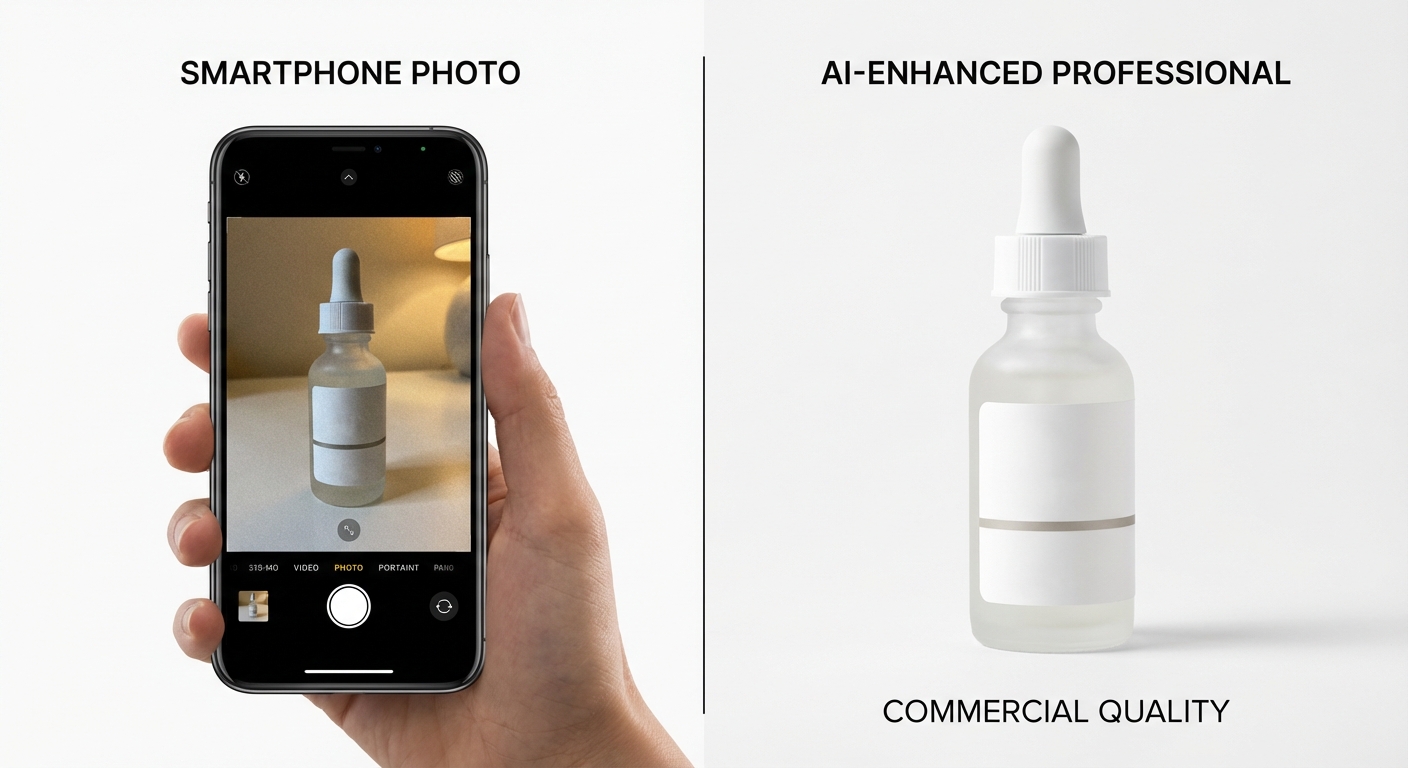
AI product photography uses artificial intelligence to generate, edit, and enhance product images automatically. You upload a basic photo of your product — even one taken on your phone — and the AI handles the rest: removing backgrounds, generating realistic scenes, adding proper lighting and shadows, and outputting images that look like they came from a professional studio.
The key distinction from general AI image generators (like Midjourney or DALL-E) is that AI product photography tools preserve your actual product. They don't reimagine or reinterpret it. The bottle, the shoe, the handbag in the final image is your real product — the AI only changes what surrounds it.
This matters because customers need to see exactly what they're buying. A beautiful but inaccurate product image is worse than a mediocre accurate one. It drives returns, erodes trust, and violates marketplace guidelines.
For sellers on Amazon, Etsy, Shopify, eBay, and TikTok Shop, AI product photography solves a specific problem: getting professional-quality images at a cost and speed that makes sense for your catalog size and margins.
How AI Product Photography Works
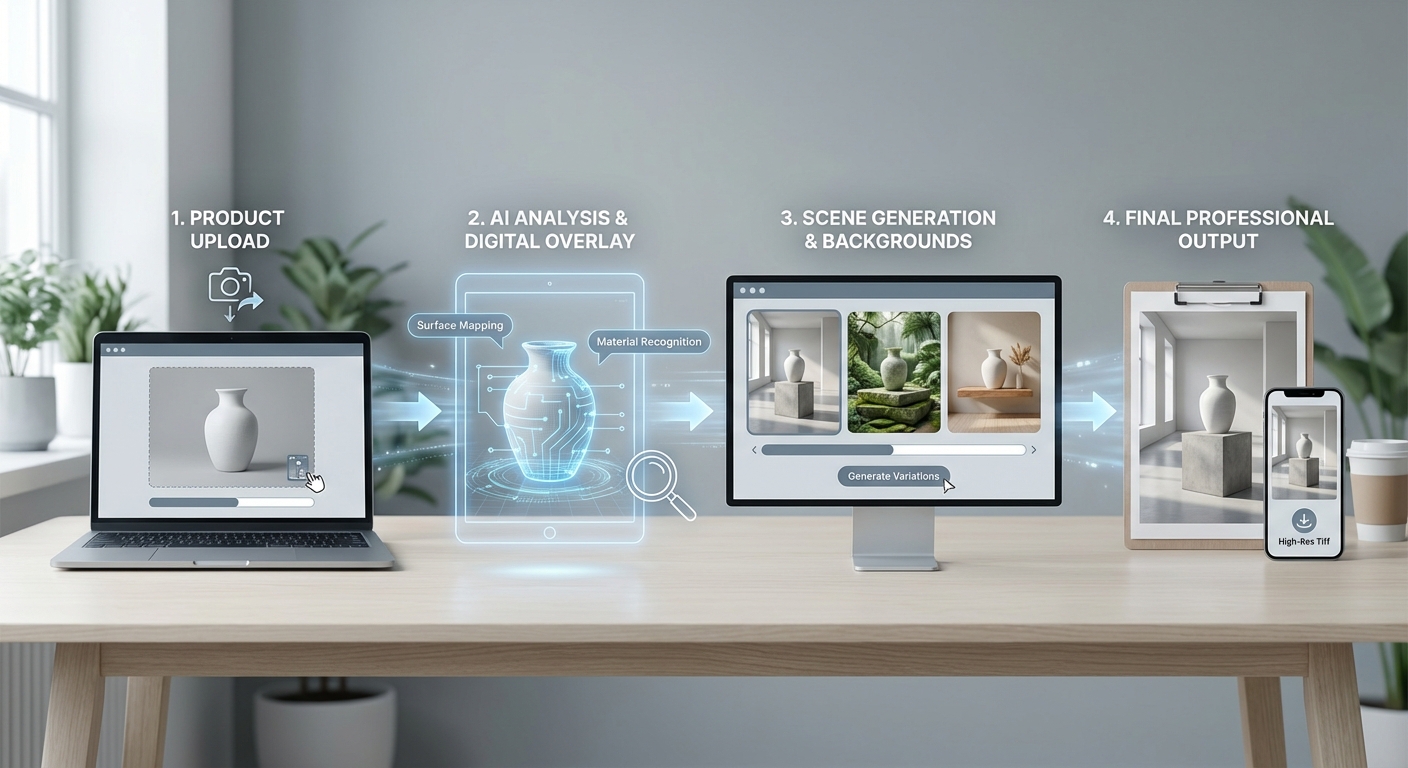
The actual process is simpler than most people expect. Here's the typical pipeline:
1. Upload Your Product Photo
You start with a basic image of your product. This can be a phone photo taken against a plain background, a white-box studio shot, or even an existing listing image. Better input produces better output, but you don't need professional photography to start.
2. AI Analyzes Your Product
The AI identifies what your product is, isolates it from the background, and maps its edges, textures, reflections, and material properties. Some tools do this generically. More advanced tools use category-specific analysis — recognizing that a glass perfume bottle needs different lighting treatment than a matte fabric handbag or a glossy electronics product.
3. Scene Generation
Based on your selection (or a text prompt), the AI generates a background scene and places your product into it with realistic lighting, shadows, and reflections. This could be a clean white background for marketplace compliance, a lifestyle kitchen counter for a food product, or a model wearing your clothing item.
4. Output and Export
The final image is rendered at your specified resolution, typically marketplace-ready (2000x2000px for Amazon, for example). Most tools let you download immediately or export in batch.
The entire process takes 10-60 seconds per image, depending on the tool and complexity. Compare that to the days or weeks a traditional photo shoot requires from booking to final delivery.
What AI Product Photography Can (and Can't) Do
Honesty builds trust, and this section is where most AI photography articles fall short. Here's a realistic assessment.
What It Does Well
- Background replacement and scene generation. This is the core strength. AI can place your product in virtually any setting — marble countertops, outdoor scenes, seasonal displays — with realistic lighting and shadows.
- Consistency at scale. Need 200 products to have the same visual style? AI delivers identical lighting, angles, and composition across your entire catalog. No photographer can match this consistency.
- Virtual models and on-body shots. AI can generate realistic model shots for clothing, accessories, and wearable products without booking models, studios, or photographers.
- Marketplace-compliant images. Good tools output images that meet specific platform requirements — white backgrounds, minimum resolution, proper aspect ratios — without you having to check every specification manually.
- Speed. What takes a studio 1-2 weeks takes AI a few minutes. For seasonal launches or flash inventory, this changes the game.
Where It Still Falls Short
- Complex product interactions. Products being poured, squeezed, stretched, or used in action are still difficult for AI to render convincingly.
- Extreme close-up detail. If your selling point is fine stitching, intricate mechanical parts, or texture at the micro level, you still need a macro lens and a skilled photographer.
- Brand-new product categories. AI models are trained on existing imagery. If your product is truly unlike anything else on the market, the AI may struggle to light and present it correctly.
- Emotional lifestyle photography. AI can place your product on a kitchen table. It's less convincing at capturing a genuine "moment" — the warmth of a family dinner, the energy of a workout. This gap is closing, but it's still there.
The practical takeaway: AI product photography handles 70-80% of what most ecommerce sellers need. Use it for your catalog backbone — the standard shots, the background variations, the marketplace-compliant images — and save traditional photography for hero shots and brand storytelling where it matters most.
AI Product Photography vs Traditional Photography vs DIY
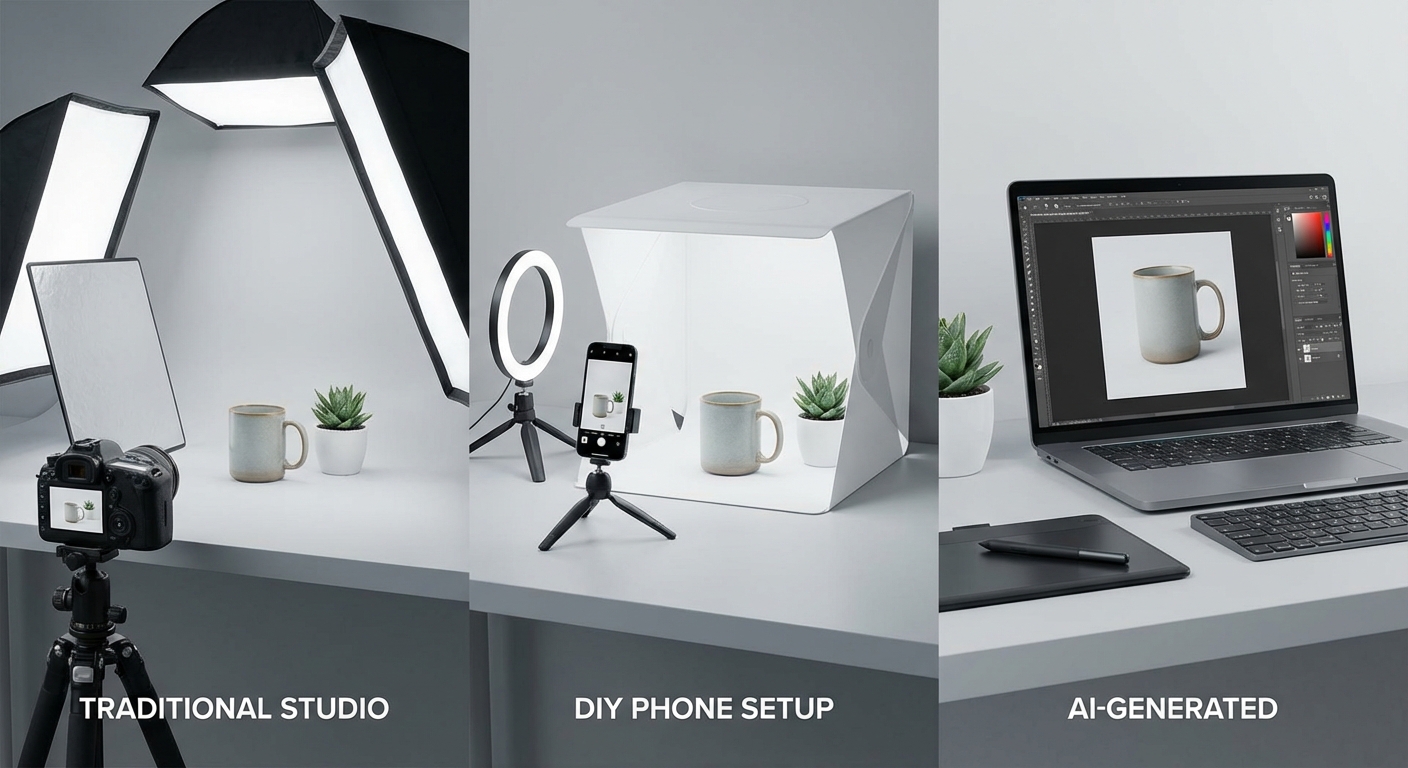
This is the comparison most sellers actually need. Here's how the three approaches stack up across the factors that matter:
| Factor | Traditional Studio | DIY (Phone + Lightbox) | AI Product Photography |
|---|---|---|---|
| Cost per image | $25-50+ | $0.50-2 (your time) | $0.10-1.00 |
| Time per image | 1-3 days (with editing) | 15-30 minutes | 10-60 seconds |
| Quality | Excellent | Variable | Good to excellent |
| Consistency | Good (same photographer) | Poor at scale | Excellent |
| Scalability | Low (linear cost) | Low (linear time) | High (batch processing) |
| Lifestyle scenes | Excellent (but expensive) | Very limited | Good and improving |
| Model shots | Excellent (but $500+/day) | Not feasible | Good (virtual AI models) |
| Marketplace compliance | Manual checking needed | Manual checking needed | Automatic (with good tools) |
| Turnaround | 1-3 weeks | Same day | Minutes |
| Minimum viable catalog | 10-20 products (to justify cost) | Any size | Any size |
For most ecommerce sellers — particularly those with 20+ SKUs selling on multiple marketplaces — AI product photography offers the best balance of cost, quality, and speed. The math becomes even more compelling when you factor in background variations and seasonal updates that would require entirely new shoots with traditional photography.
When Traditional Photography Still Wins
Traditional photography isn't dead. It's still the right choice for:
- Hero images for premium brands where every pixel matters
- Complex product demonstrations showing the product in use
- Brand campaign shoots where emotion and storytelling are the point
- Regulatory requirements that demand unedited photographs (rare, but they exist)
The smart approach in 2026 is hybrid: AI for your catalog backbone, traditional for your brand crown jewels.
How to Choose the Right AI Product Photography Tool
The market has matured significantly. There are now dozens of AI product photography tools, and they're not all built for the same use case. Here's what to evaluate:
Category-Specific Support
This is the single most overlooked factor. A tool that treats a glass perfume bottle the same as a cotton t-shirt the same as a stainless steel watch will produce mediocre results across all three. The best tools use category-specific pipelines — different AI models and rendering approaches for different product types.
Look for tools that explicitly support your product categories with dedicated processing, not just generic background replacement applied to everything.
Batch Processing
If you have more than a handful of products, batch processing isn't a nice-to-have — it's essential. Can the tool process 20, 50, or 100+ products at once with consistent output? Or are you feeding them through one at a time?
Output Quality and Realism
Test before you commit. Upload your actual products and evaluate the output. Key things to check:
- Are shadows and reflections natural?
- Does the lighting match the scene?
- Are product edges clean (no halos or artifacts)?
- Does the product color remain accurate?
Marketplace Compliance
If you sell on Amazon, you need white background images that meet specific requirements. If you're on Etsy, you need lifestyle shots that feel authentic. A good tool knows these requirements and outputs accordingly.
Pricing That Matches Your Volume
AI product photography tools use different pricing models. Here's a quick comparison of the major options:
| Tool | Free Tier | Paid Plans | Best For |
|---|---|---|---|
| Photoroom | Limited free features | From $9.99/mo | Mobile-first marketplace sellers |
| Claid.ai | 50 free credits | From $9/mo | High-volume catalog operations |
| Flair.ai | Limited free | From $10/mo | Branded lifestyle scenes |
| Pebblely | 40 free images/mo | From $19/mo | Quick background generation |
| Caspa AI | Limited free | From $19/mo | AI model shots |
| Pixtify | 10 free credits | From $19/mo | Category-specialized pipelines, batch processing |
What makes Pixtify different: Rather than applying one generic AI model to every product, Pixtify uses 12 specialized category pipelines — separate processing for jewelry, apparel, cosmetics, electronics, food products, and more. Each pipeline is tuned for the lighting, reflections, and presentation standards specific to that product type. Combined with batch processing for 20+ products simultaneously and built-in marketplace compliance checks, it's designed for sellers who need quality and volume, not one or the other.
Virtual AI Models
If you sell clothing, accessories, or wearable products, check whether the tool offers virtual AI models. The quality gap between tools is significant here — some produce obviously artificial results, while others are nearly indistinguishable from real model photography.
Getting the Best Results from AI Product Photography
The tool matters, but so does how you use it. These practical tips will significantly improve your output quality:
Start with Good Input Photos
AI can do a lot, but it can't invent detail that isn't there. Your input photos should be:
- Well-lit. Natural light or a simple softbox. Avoid harsh shadows on the product itself.
- In focus. The product should be sharp, especially at the edges.
- On a clean background. A plain white or light gray background gives the AI the cleanest extraction.
- At sufficient resolution. At least 1500px on the longest side. More is better.
You don't need a DSLR. A modern smartphone in good lighting will produce perfectly usable input.
Choose Scenes That Match Your Marketplace
Different platforms reward different image styles. Amazon wants clean, white-background hero images. Etsy buyers respond to lifestyle scenes that feel handmade and authentic. TikTok Shop needs images that feel native to the platform. Match your scene selection to where you're selling.
For data on which backgrounds actually convert, see our breakdown of background colors and textures that perform best.
Use Batch Workflows for Consistency
When processing your catalog, use batch processing to apply the same scene and lighting to product groups. This creates visual consistency across your listings — the kind of professional catalog look that builds buyer confidence and boosts conversions.
A/B Test Your Images
One of the biggest advantages of AI product photography is that you can generate multiple versions quickly and cheaply. Use this to your advantage:
- Test white background vs. lifestyle scenes for your hero image
- Try different scene contexts (indoor vs. outdoor, minimal vs. detailed)
- Compare images with and without virtual models (for applicable products)
- Test seasonal variations against evergreen scenes
Most marketplace platforms offer built-in A/B testing. Use it. Let your customers tell you which images sell.
Build a Hyperrealistic Workflow
The latest generation of AI product photography tools includes hyperrealistic rendering modes that are nearly indistinguishable from traditional photography. If your tool offers this, use it — particularly for hero images and ad creatives where visual quality directly impacts click-through rates.
The Future of AI Product Photography
The technology is moving fast. Here's what's coming and what to plan for:
AI-generated product video. Static images are table stakes. Several tools already offer basic AI video generation from product photos — rotating views, simple lifestyle animations, and short-form clips for social commerce. Expect this to become standard within 12-18 months.
3D product visualization. The line between product photography and 3D rendering is blurring. AI tools are beginning to generate interactive 3D models from a handful of 2D photos, enabling spin views and AR try-on experiences without 3D scanning equipment.
Personalized product imagery. Imagine showing each shopper your product in a scene that matches their location, season, or browsing history. A winter jacket shown in a snowy landscape to a buyer in Minnesota, on a rainy London street to a buyer in the UK. The technology exists; the marketplace infrastructure is catching up.
Real-time generation for ads. Dynamic creative optimization powered by AI product photography — generating hundreds of ad variations automatically and letting performance data choose the winners. This is already happening at the enterprise level and will reach small sellers soon.
The sellers who adopt AI product photography now will have a significant advantage when these capabilities mature. They'll have the workflows, the input photo libraries, and the testing data already in place.
Start Creating Better Product Images Today
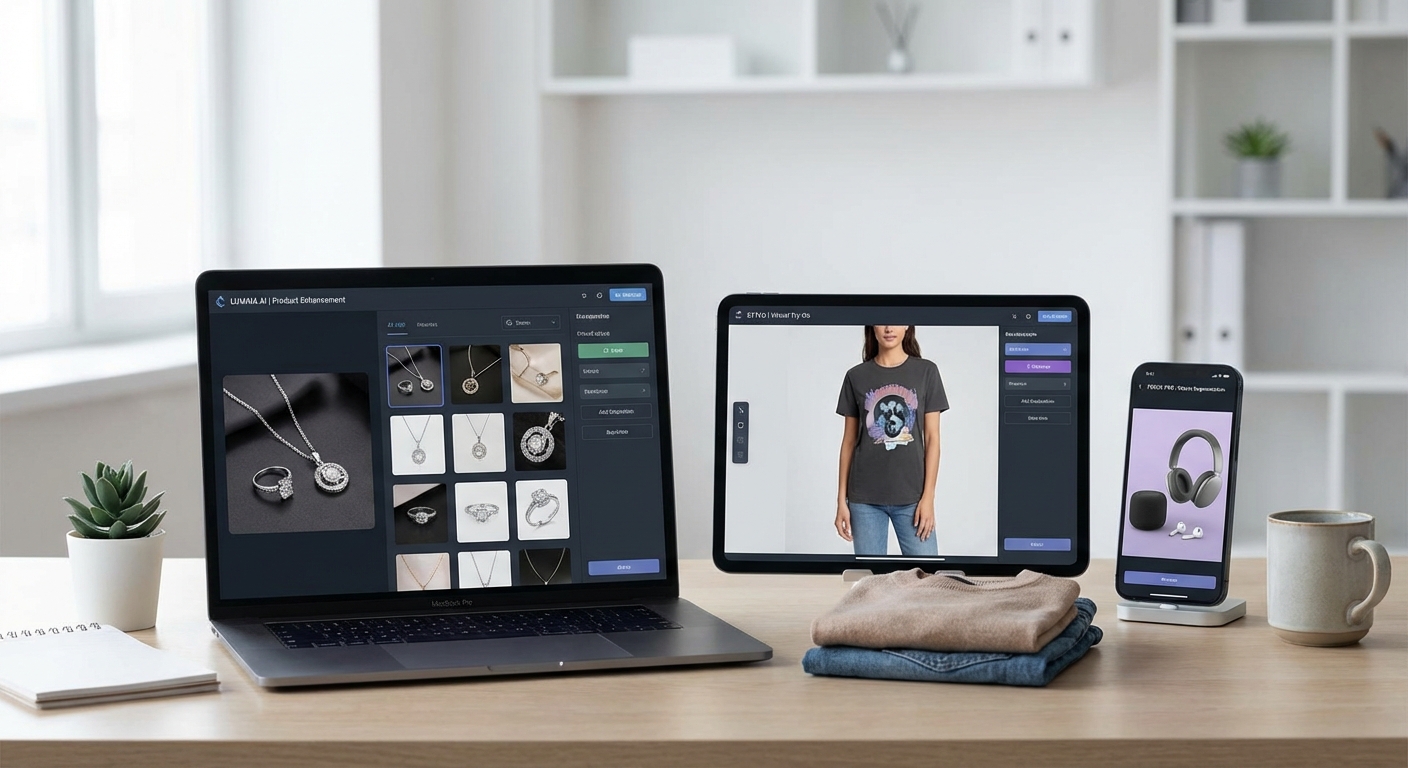
AI product photography has crossed the threshold from "interesting experiment" to "essential tool" for ecommerce sellers. The cost savings are real. The quality is professional. And the speed advantage is something traditional photography simply cannot match at any price.
The best way to evaluate it is to try it with your own products. Pixtify's free tier gives you 10 credits to test with your actual catalog — enough to see how your products look across different scenes and settings using category-specialized AI pipelines.
Upload your first product, pick a scene, and see the result in under a minute. If the output quality surprises you (it usually does), you'll understand why sellers are making the switch.
Try Pixtify free — no credit card required
Looking for more ways to improve your product listings? Check out our gallery of AI-generated product photography for inspiration, or read our guide on 7 product photo secrets that boost ecommerce conversions.
Pixtify Team
AI Product Photography
Ready to transform your product photos?
Join thousands of sellers using AI to create professional product images in minutes.
Get Started FreeNo credit card required